


TL;DR When a creator goes live with your game, the first minutes matter. Chat is fresh, viewers are peaking, and it’s the perfect window to thank the creator, answer questions, or drop a giveaway. Stream Alerts make sure you know about those moments as they happen.
Have questions? Book a chat with our account management team.
Stream Alerts: Be There When Your Game Goes Live
When you’re running campaigns with influencers and creators, timing often makes all the difference. A stream going live can be a golden moment for engagement, a chance to connect with the creator, support their community, or even join in the chat while your game is at its most visible.
Until recently, even though we’ve always tracked live streams across our influencer network, clients still had to wait to see those streams appear in coverage reports after they started. Now, with Stream Alerts, that’s changed.
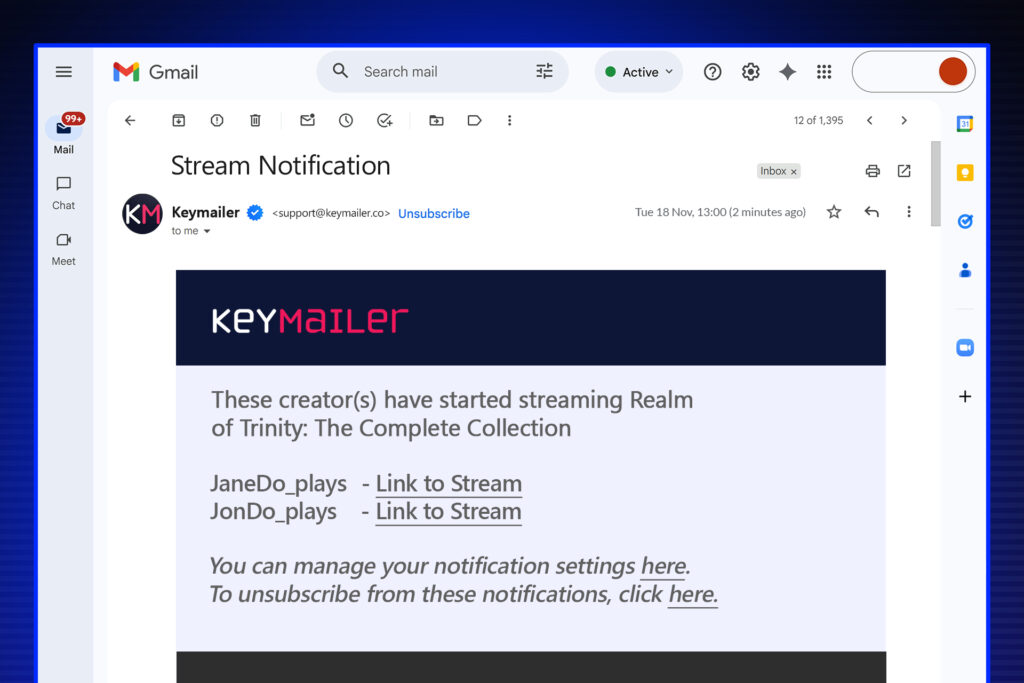
Stream Alerts notify you automatically when a creator starts streaming one of your games, giving you the opportunity to jump in right as the broadcast begins. You can keep alerts to your campaign creators, or extend them to our global panel of hundreds of thousands of verified channels we’re allowed to track, so everything stays compliant and scalable.
It’s a simple addition that fits naturally into the Partnier platform. Opening a whole new level of real-time awareness and responsiveness for your games, campaigns, and competitor awareness.
A Quick Refresher on How We Track Streams
As most of our clients know, Partnier connects an integrated ecosystem of tools that support the entire game publishing lifecycle. From the earliest public mention of a title, through creator outreach and press engagement, to long-term live service campaigns.
Within that ecosystem, Keymailer links you to a verified network of influencers and creators; Game.Press connects your content to verified press outlets and podcasts; Playtester.net builds communities and feedback loops; Giftingbot activates micro-influencers and fans inside Discord; and everything feeds into unified campaign monitoring and analytics.
Partnier continuously tracks content from hundreds of thousands of influencers and press worldwide, across all major social and streaming platforms. We monitor videos, shorts, posts, and, importantly, live broadcasts. These are detected directly from influencer timelines with direct integration and API access, we capture activity that many social listening tools miss.
What Stream Alerts Do
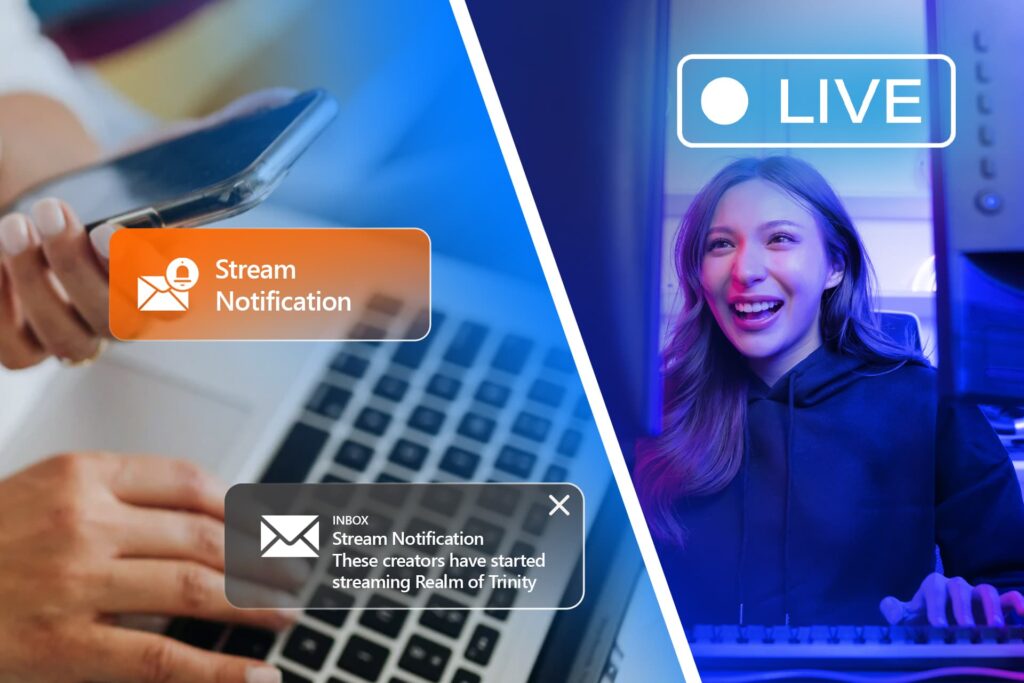
Stream Alerts bridge that gap by notifying you as soon as one of your creators starts streaming a game. You’ll receive an email alert when a stream goes live, giving you the option to:
- Drop into chat to thank or encourage the creator
- Coordinate community engagement like giveaways
- Flag it internally so your team can amplify it on social
- Keep an eye on coverage as it unfolds
You can enable Stream Alerts for specific titles or campaigns directly from the Coverage view inside the platform. It’s designed to be effortless, you’ll see the option right where you already review content.At the moment, alerts are sent via email, but we’re exploring other channels like Discord, SMS, and WhatsApp based on client feedback. (If you’d like to vote for one of these, please let your account manager know!)
Who Do Stream Alerts Cover?
Stream Alerts work for everyone in your campaign or, if enabled, they can work for everyone in your extended global panel as well.
- Our global panel consists of hundreds of thousands of permissioned channels
- You toggle Stream Alerts per game or campaign from the Coverage page
- We also capture stream snapshots in the coverage report for when you miss a live stream and want to catch up later
This matters because it dramatically expands awareness beyond just the creators you’ve already issued codes to. With the global panel setting on, you’ll catch a very large share of active gaming creators the moment they go live with your game.
How It Works Behind the Scenes
Every live stream in our system is detected through the same infrastructure that powers AI Content Analysis and Stream Snapshots.
We’ve built Stream Alerts to be reliable, considerate, and non-intrusive:
- We wait briefly after detecting a new broadcast to confirm that the stream is really underway and is not just a quick test
- We batch notifications into digests, so if several creators go live close together, you’ll get one concise email rather than dozens of individual alerts
- We actively track livestreams on Twitch and YouTube, giving you real-time visibility on the platforms that creators use most.
You can use Stream Alerts just for creators in your campaigns, or expand them to your global panel view. Our global panel includes hundreds of thousands of verified channels that we have permission to monitor and capture content from, which ensures everything operates compliantly and at scale.
Working Hand in Hand with Stream Snapshots
Stream Alerts pair perfectly with Stream Snapshots, Transcripts and Content Analysis which periodically capture stills from live streams for influencers in campaigns. Like alerts, Stream Snapshots can be enabled for the global panel when permissions exist.
The three features complement each other perfectly:
- Stream Alerts let you engage instantly when a stream begins.
- Stream Snapshots ensure you can review what happened later, even if you couldn’t join in real time.
- Transcripts & Content Analysis allows you to get the full context, sentiment analysis and a host of qualitative data
This gives you freedom to engage in real time or catch up later, without missing what happened.
Future Directions: Discord and Beyond
Right now Stream Alerts are email-only. Many teams are satisfied with that, since they can configure their own mail rules and desktop/mobile notifications.
We’re listening for feedback on additional channels, specifically Discord (via Giftingbot), SMS, and WhatsApp. Given how much creator communication flows through Discord, posting stream notifications via Giftingbot is a natural next step if clients want it.
What is Giftingbot?
Giftingbot, is our Discord-native tool that allows creators to request codes and receive them directly in their DMs. Many clients use it to manage micro-influencer activations and community seeding.
We’re actively considering adding stream notifications directly into Giftingbot. That would mean a stream could automatically post in a Discord channel or DM as soon as it starts.
We want to make sure Stream Alerts fit naturally into your workflow, wherever that happens to be. If you have a view on how you’d like this to evolve, please tell your account manager or get in touch with us directly.

Where Stream Alerts Fit Within the Platform
Stream Alerts are available to clients on base plan and up. Our higher tier plans which add Stream Snapshots and AI-powered Content Analysis so you are notified when influencers go live, and get transcripts and snapshots if you’re not online.
Like everything in Partnier, Stream Alerts sit within our unified dashboard. That means they work seamlessly with your influencer activations, press outreach, event promotions, and community-building tools. You don’t need to connect third-party alert systems or manage separate integrations, everything flows naturally through the same interface.
If you’re unsure which plan you’re on or what’s enabled, just message your account manager.

Why It Matters
We designed Stream Alerts because timing matters in publishing.
Real-time engagement can turn a moment of exposure into a conversation, a collaboration, or even a long-term relationship.
When you see the moment your influencers go live and know that Stream Snapshots are being automatically taken, you get total visibility and flexibility. You can choose whether to engage immediately, review later, or both.
That’s the power of bringing these systems together inside one platform: visibility, control, and convenience, without fragmentation or noise.
FAQs
What platforms are supported?
Stream Alerts work on YouTube and Twitch. We are looking at expanding to other platforms in the near future.
Where do I get my alerts?
Right now, Stream Alerts are delivered by email. You can use your own email client’s rules and notifications to make sure they surface exactly how you want them to.
Do I get an alert for every single stream?
Stream Alerts are triggered for live streams from influencers in your campaigns. We add a short delay to confirm the stream is actually underway and batch multiple streams into digest emails, so you’re not flooded with alerts during busy periods.
If I get too many alerts, can I turn this off?
Yes. You can switch Stream Alerts on or off per game or campaign from the Coverage view. If you’ve enabled alerts for the global panel and want to reduce volume further, you can disable that option too.
Can I be alerted about influencers beyond my campaign?
Yes. When you enable the global panel option, Stream Alerts will also include relevant streams from our extended global panel. Hundreds of thousands of creators who have a relationship with us and have given permission for tracking and storage.
Do creators need to give permission for this to work?
Yes. Stream Alerts (and Stream Snapshots) only operate for creators who have an existing relationship with us and have granted permission for their content to be tracked.
How do Stream Alerts relate to Stream Snapshots?
Stream Alerts tell you when a stream starts so you can join live. Stream Snapshots automatically capture stills from those streams so you can quickly review what happened afterward, even if no VOD or highlight is published. You can engage in real time, catch up later, or both.
Do I need any extra tools or integrations?
No. Stream Alerts are built directly into the Partnier platform and managed from your Coverage view. There’s no additional setup or third-party integration required.
Talk to Us
Already on Partnier? Book a short 1:1 with your account manager for help enabling Stream Alerts or to share your feedback.
If you’re new to Partnier and want to learn how our integrated publishing ecosystem can support your upcoming games, email our business development team, or book a demo. We’d be happy to walk you through it.
Partnier unifies the full spectrum of modern game publishing, from playtesting to creator programs, press, events, and live service marketing under one roof. Stream Alerts are one more way we’re helping you stay connected to your creators and communities, in real time.